
BuildingPoint Central
Technical Newsletter
Q1 2025
Click on THE link(s) below to Learn More
Latest firmware for Trimble Scanners, Trimble Robots, and GNSS Receivers
Keep your gear up to date with the latest firmware. The following are the latest firmware versions.
- Trimble X7 – R2.5.201
- Trimble X9 – R1.1.1.0263
- RTS573, RTS655, RTS673 – C10.14.1
- RTS771, RTS773, RTS873 – B3.14.1
- Ri – 3.2.349
- SPS Series – C10.14.1
- RPT600 – R1.1.33
- R8s – 5.68
- SPS986 – 6.28
- R780 & R780-2 – 6.28
Trimble R780-2
With the Release of the New R780-2 receivers, there was a critical bug in the Temperature sensor that was patched in the Firmware version 5.67/6.27. This fixed the automatic safety shutdown that was occurring during the summer months. They increased the maximum temperature range to 130 degrees Fahrenheit. For more information on the 6.27 Firmware click the link below.
Trimble Field Link – 7.1
Trimble Field Link version 7.1 was released in November 2024.
New features included:
⦁ Create Line offset
⦁ Scan Inspection Report Generation
⦁ Export LAZ scans
Improvements and Bug fixes:
⦁ Floor Analysis – Scan data no longer impedes surface contours visibility
⦁ Floor Analysis – Improvement to in/out of tolerance report by considering only point with data
⦁ DWG exports to CAD mismatch units of measurements – FIX
⦁ FieldLink support of IFC files with rebar
Trimble FieldPoints
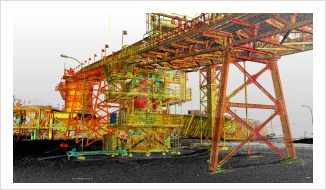 Trimble FieldPoints version 25.12.0 was released to support the 2025 versions of AutoCAD and Revit.
No new features were implemented in this update.
Trimble RealWorks
Trimble Field Link version 7.1 was released in November 2024.
Visualize and extract compelling deliverables from 3D data. Trimble 3D scanning software allows you to integrate 3D point and survey data to extract measurements, generate deliverables and utilize inside 3D CAD software. Trimble RealWorks is specifically designed for point cloud processing and analysis. The software provides a complete solution to efficiently register, analyze, model, and create deliverables using data from virtually any source.
Trimble RealWorks version 2024.11 was released in September 2024. For more information about RealWorks 2024.11 click the link below.
Improvements and Bug fixes:
⦁ Georeferencing: Fixed crash caused while using “By Picking” within the Georeferencing tool.
⦁ Create Sampled Scans: Fixed issue causing the Ok button for creating a sampled scan to be disabled.
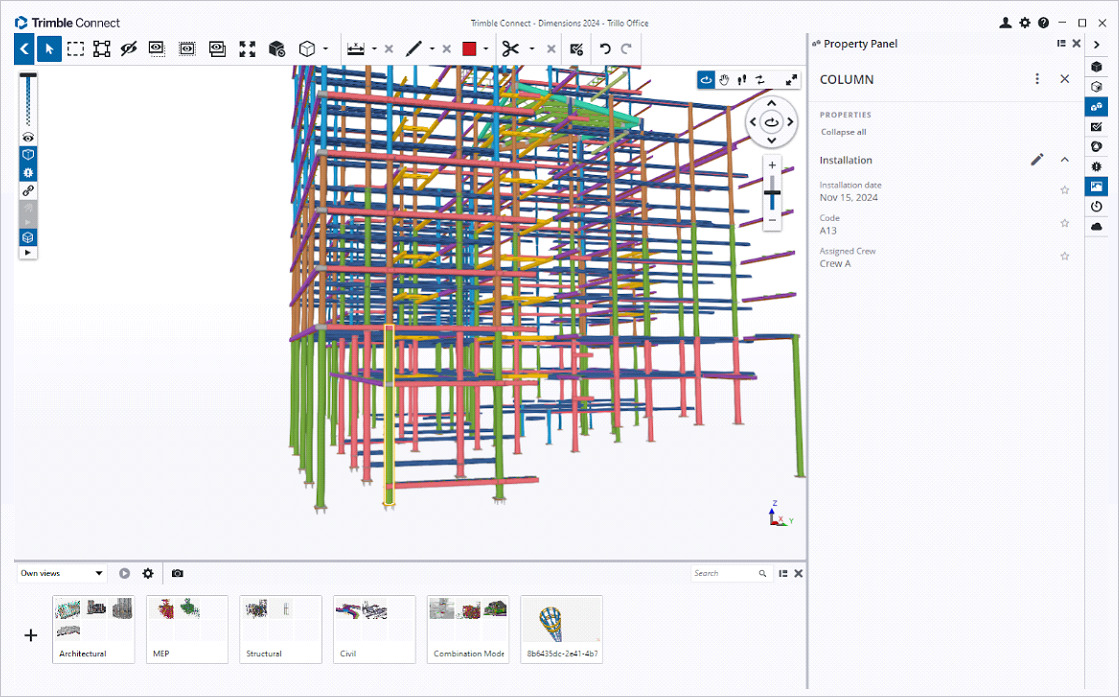
Trimble Connect
Trimble Connect version 1.24.0 was released in November 2024.
New features included:
⦁ SketchUp (.SKP) file format importer updated to version 1.83
⦁ StepIges (STEP, IGS, IGES) file formats importer updated to version 3.24
Improvements and Bug fixes:
⦁ Fixed an issue where the application crashed when opening the Objects panel in Hungarian language
Trimble Connect Reality Capture
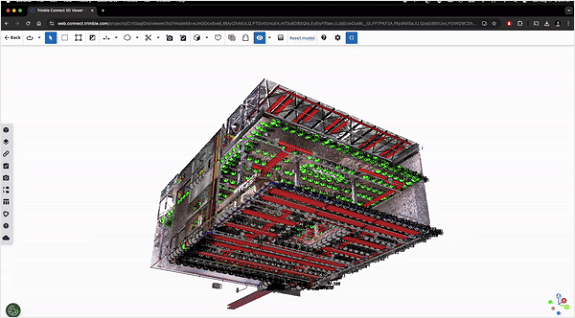 Trimble introduced Reality Capture Extension inside of the Connect platform in September of 2024. This allows the user to collaborate, share, store and manage large amounts of scan data within the cloud platform. This allows you to seamlessly link data and share with non-technical stakeholders easily in Trimble connect. For more information on Reality Capture storage subscriptions please reach out to your local BuildingPoint representative.
Trimble Connect AR
Trimble Connect (AR) version 2.0 was released in February 2024.
 New features included:
⦁ Added iOS LiDAR for use with iPhone 12 pro or Pro Max or higher, iPad Pro (2020 or newer)
⦁ LiDAR capture can be set up with QR code to merge with existing data or from a fresh project.
⦁ Easy setup process means anyone on site can scan an area of interest and upload a LAZ file to Trimble connect.
⦁ Scan files can only be viewed from desktop version of Trimble Connect currently.
Trimble Connect MR
Trimble Connect (MR) version 3.10 was released in November 2023.
New features included:
⦁ Enabled head gaze interactions across all model view menus
Improvements and Bug fixes:
⦁ Performance & Detail settings are now persistent.
⦁ Added settings menu option to disable the head gaze interactions.
For more information on Mixed Reality visit
https://www.youtube.com/c/TrimbleMixedReality or
contact your BuildingPoint Central representative. https://buildingpointcentral.com/contact-us/
Check out the Trimble Community Building Construction Public Community for more information at Building Construction Public Community – Trimble Inc.
HP SitePrint
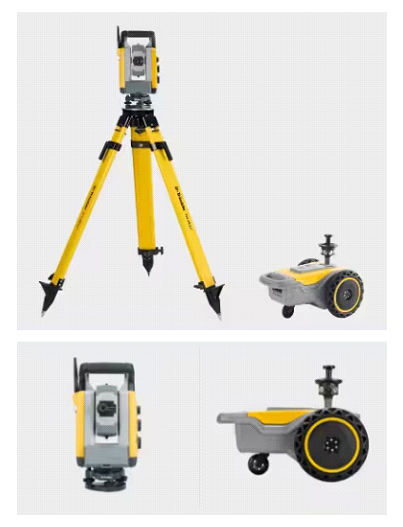 HP Has partnered with Trimble to provide an Autonomous Construction site layout solution. HP SitePrint will use the accuracies of the Trimble RTS573* along with advanced onboard sensors to layout your 2D AutoCAD file. The CAD files can be adjusted seamlessly through HP’s Cloud-based management system. The HP SitePrint is compact and easy to set up and will not only reduce project costs but will also free up labor to be utilized elsewhere. With different ink solutions you decide if the marks are temporary or permanent.
HP SitePrint Firmware 3.0.2 update has drastically improved the print speed by 30 percent, reduced robot stop time by 1 second per stop, and reduced user intervention by utilizing HP Smart Navigation System and Shadowing. For more information about Firmware version 3.0.2 click the link below.
*RTS573 must have 20Hz data transmission upgrade to be compatible with SitePrint.
For more information on SitePrint click on the link. HP SitePrint

Trimble FieldLink Tailgate Talk
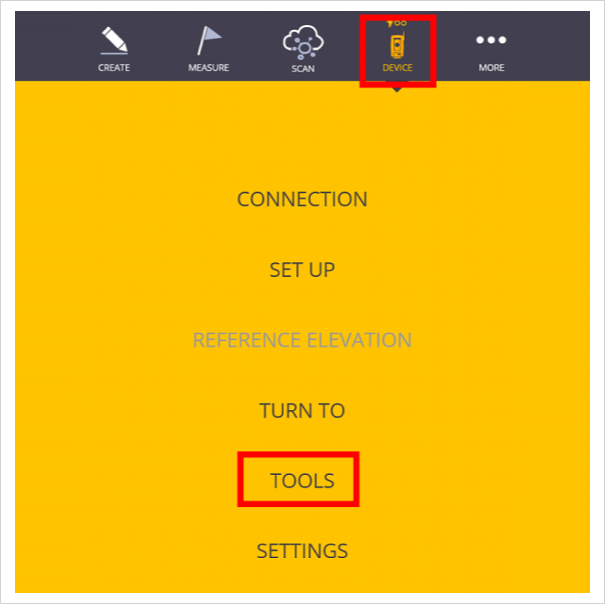
 You can check the vertical alignment of a wall or column in Fieldlink quickly and easily. To perform this function set the device up as close to perpendicular as possible to the wall or column, select DEVICE, then TOOLS.
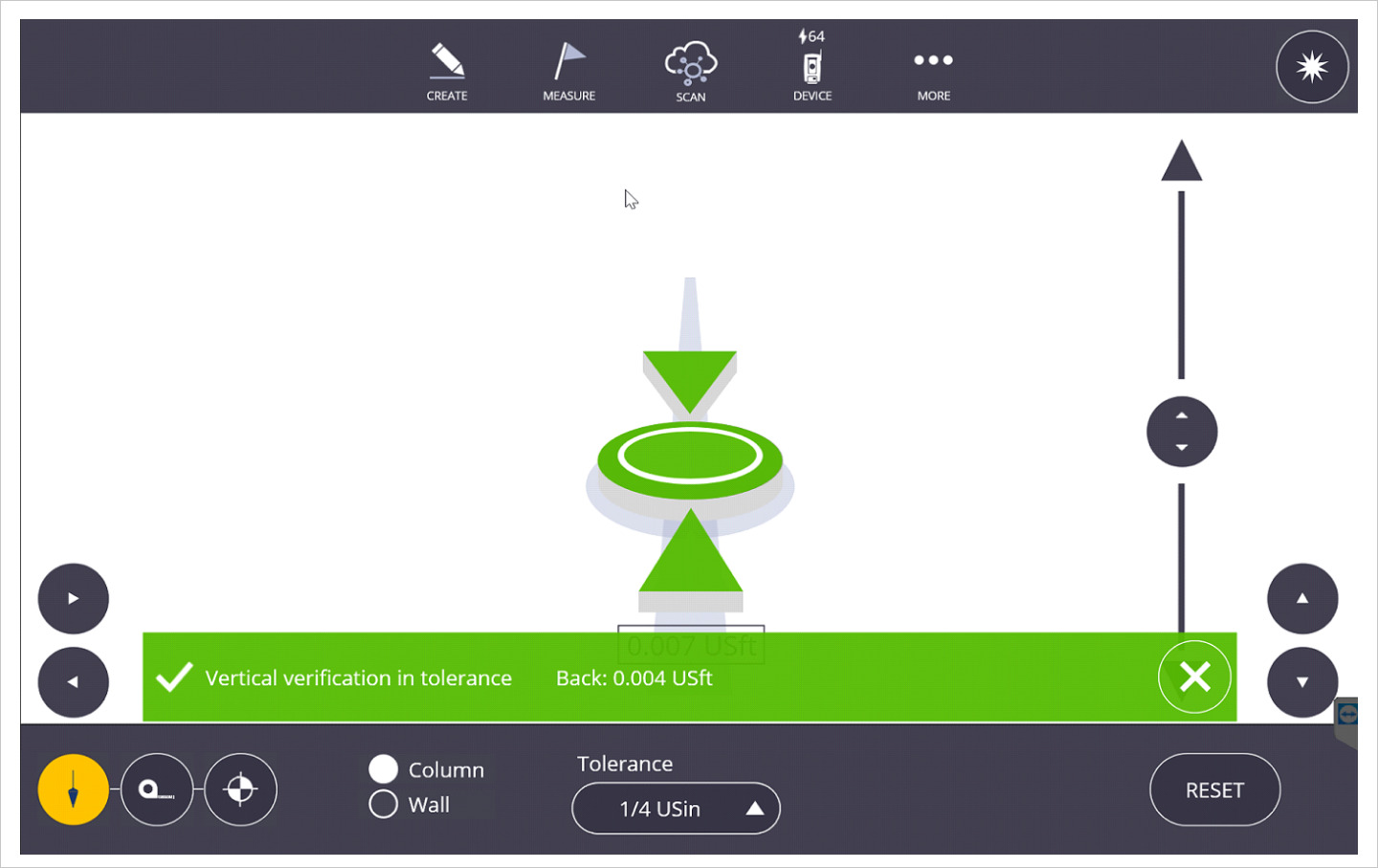
 Select the PLUMB TOOL at the bottom left of the screen, then select either COLUMN or WALL and select the desired TOLERANCE. Follow the instructions at the bottom of the screen to measure the bottom and top of the wall or column to check the vertical alignment. You can also select the MEASURE TOOL to simply measure a distance or the BENCHMARK TOOL to assign a zero elevation at any location and compare elevations at other locations relative to that point. Note: A full setup is not necessary to perform these functions, but no information will be stored in the project.

For more information on specific hardware check out Product Guides, Brochures, and Datasheets (trimble.com)
Served Up from AllTerra Technical Center (ATC)
Come back again for another Tailgate Tip!
